![01-manara-orange-1.jpg]](https://support.manara.tech/hs-fs/hubfs/01-manara-orange-1.jpg?width=227&height=122&name=01-manara-orange-1.jpg)
1- Start
Click the “Start Learning” button to begin your AWS 2 journey.
2- You will be automatically enrolled in the available cohort.
3- Enrollment Date
Check the cohort you are enrolled in — displayed at the top-right corner (e.g., June 06 cohort).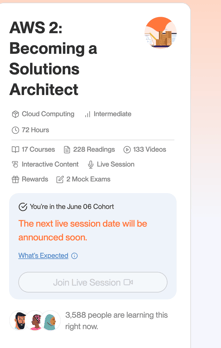
4- Email Confirmation
You will receive an email from programs@manara.tech with the session dates and links on the same day your session starts. The sessions will also be added directly to your learning path. Please check this article for more details.
Make sure to attend the sessions, as they include important information about the project you need to submit. This will help ensure your project meets the requirements and passes the review.
5- Courses & Exams
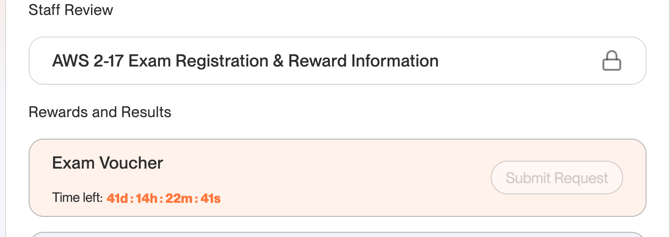
Finish 16 courses (Optional) and pass 2 exams, scoring 80% or higher in the two exams.-png.png?width=670&height=177&name=Screenshot%20(1522)-png.png)
6- Submit Your Project
Make sure to submit your project before the mentioned deadline to avoid any issues and to ensure proper processing. Please follow the instructions provided in the link below for submitting your project:
Link:
https://docs.google.com/document/d/1noYMFRWySjq8j4K5dI5Z_l3rLD6lsuP9HSnBwXi24rk/edit?tab=t.0
Note:
Directly after the project deadline, the team will take up to 2 days to complete the project reviews. If your project is approved, Course 17 will be unlocked for you to complete the requirements, after which the reward section will also become accessible. (Keep an eye on the Manara app.)-png-1.png?width=670&height=245&name=Screenshot%20(1523)-png-1.png)
7- Complete Course 17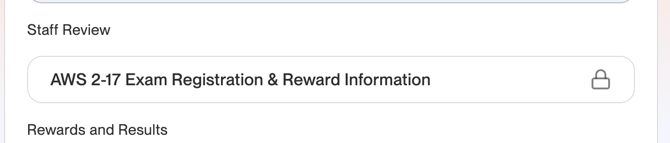
8- Request the Reward
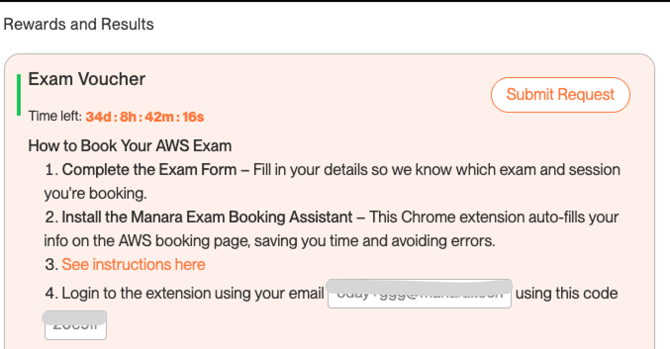
Click “Submit Request” before the deadline, submit the reward form, and wait for the team to process your request.
The team will contact you with a confirmation email within 7 working days (not calendar days). Once you receive the email, please reply to confirm that you agree to receive the voucher. The team will then proceed with your request and this will take a couple of days.
Once the voucher is ready, you’ll receive another email confirming that it is available. You’ll also see a “Voucher Ready” button in the voucher section of your learning path. This indicates that the voucher has been added to the AWS Exam Booking Extension and you can start booking your exam.
Next, go to the Exam Voucher section in your learning path and download the AWS Exam Booking Extension directly from there. You’ll find all the instructions you need to install the extension and start the booking process.
The voucher code will be saved in the extension, so you can use it directly when booking your exam.
More details on how to install the extension are here:
https://support.manara.tech/knowledge/manara-exam-booking-extension