![01-manara-orange-1.jpg]](https://support.manara.tech/hs-fs/hubfs/01-manara-orange-1.jpg?width=227&height=122&name=01-manara-orange-1.jpg)
1- Start
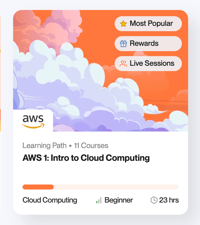
Click the “AWS Learning Path” card to begin your AWS journey.
2- Cohort Group Enrollment
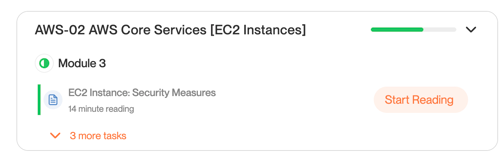
You will be automatically enrolled in an available cohort once you click on the “Start Reading” button.
3- Enrollment Date
Check the cohort you are enrolled in — displayed at the top-right corner (e.g., April 30th cohort).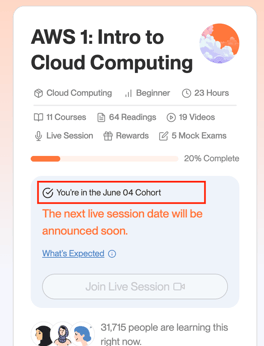
4- Email Confirmation
You will receive an email from programs@manara.tech with the session dates and links on the same day your session starts. The sessions will also be added directly to your learning path. Please check this article for more details.
5- Courses & Exams
Complete 10 courses (Optional), and take the 4 exams, scoring 80% or higher in 2 of them.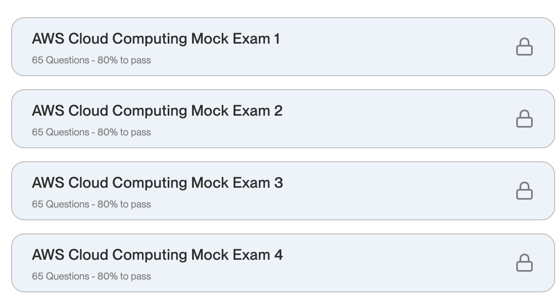
6- Final Course & Exam
Complete Course 11 and complete the Reward & Exam Quiz (must score 100% to unlock the reward).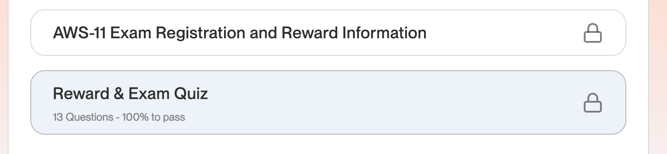
7- Request the Reward
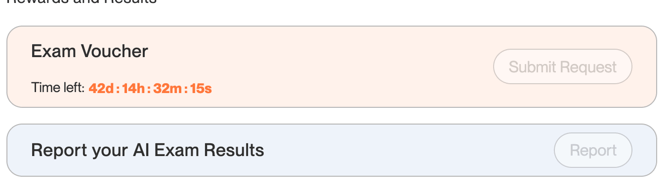
Click “Submit Request” before the deadline, submit the reward form, and wait for the team to process your request.
The team will contact you with a confirmation email within 7 working days (not calendar days). Once you receive the email, please reply to confirm that you agree to receive the voucher. The team will then proceed with your request, and this will take a couple of days.
Once the voucher is ready, you’ll receive another email confirming that it is available. You’ll also see a “Voucher Ready” button in the voucher section of your learning path. This indicates that the voucher has been added to the AWS Exam Booking Extension and you can start booking your exam.
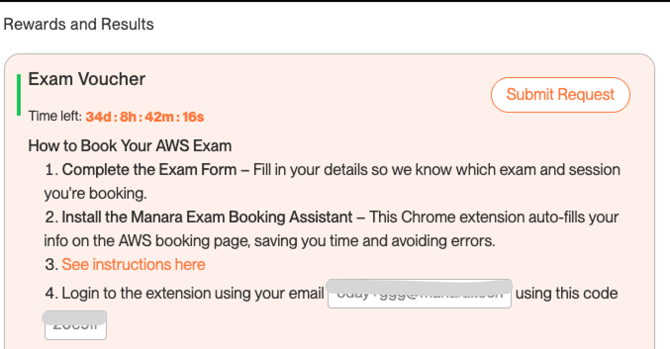
Next, go to the Exam Voucher section in your learning path and download the AWS Exam Booking Extension directly from there. You’ll find all the instructions you need to install the extension and start the booking process.
The voucher code will be saved in the extension, so you can use it directly when booking your exam.
More details on how to install the extension are here:
https://support.manara.tech/knowledge/manara-exam-booking-extension