![01-manara-orange-1.jpg]](https://support.manara.tech/hs-fs/hubfs/01-manara-orange-1.jpg?width=227&height=122&name=01-manara-orange-1.jpg)
Please note that after submitting the voucher form, you need to wait up to 7 working days for the Program Team to process your request and send you a confirmation email.
Once you receive the confirmation email, please reply to confirm that you agree to receive the voucher. The team will then need a couple of days to complete the voucher process.
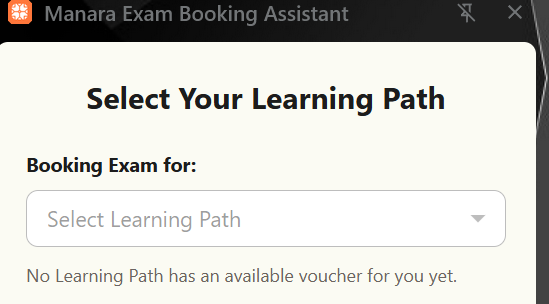
Once the voucher is ready, you’ll receive another email confirming that it is available. You’ll also see a “Voucher Ready” button in the voucher section of your learning path. This indicates that the voucher has been added to the AWS Exam Booking Extension and you can start booking your exam.
When you start the booking process, your learning path will appear in the “Select your learning path” field in the extension.