![01-manara-orange-1.jpg]](https://support.manara.tech/hs-fs/hubfs/01-manara-orange-1.jpg?width=227&height=122&name=01-manara-orange-1.jpg)
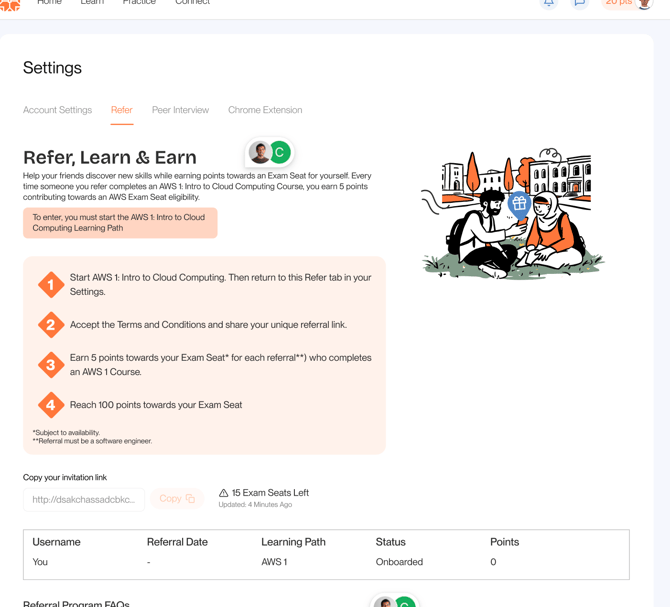
You can manage your referral progress by going to:
Settings → Refer
In the Refer tab you will find:
-
Active Invitation Link
The link you can share with friends to invite them. -
Copy Button
Quickly copy your referral link. -
Number of Exam Seats Remaining
-
Progress Bar
Shows how close you are to reaching the required points. -
Referral Table
Displays users who signed up through your link. -
FAQ Section
-
Terms & Conditions Page